

Description
Download CoffeeCup Free DHTML Menu Builder – dhtml menu, menu builder, web design, html menu, free tool, web developer, website navigation, dhtml, menu generator, web tool
Overview
The CoffeeCup Free DHTML Menu Builder is a lightweight utility designed to assist users in creating interactive, dynamic menus for websites without requiring programming knowledge. Targeted primarily at web developers, designers, and content creators, the tool simplifies the process of enhancing website navigation through customizable, visually appealing menu systems. Its core purpose is to streamline menu creation by offering a structured workflow that reduces the time and technical effort typically associated with coding navigation elements from scratch.
Designed for users who need a fast, no-cost solution for integrating functional menus into their web projects, this application is especially useful for small business owners, freelance designers, and students learning web development. The tool enables users to generate DHTML-based menus that support dynamic behavior such as hover effects and dropdowns, improving user experience on websites. While the developer did not provide additional technical details about its integration with modern web standards, the application remains relevant for basic HTML and CSS-based site enhancements.
Although the release date was in 2007, the tool continues to serve as a foundational resource for those seeking accessible web design utilities. In the broader app ecosystem, it occupies a niche as a free, standalone tool that supports productivity in front-end web development, particularly for users working with older or simpler website frameworks.
Key Features & Functionality
- Intuitive Three-Step Menu Creation: Users can build functional menus in just three steps—select a style, customize settings, and generate code—without needing to write a single line of code.
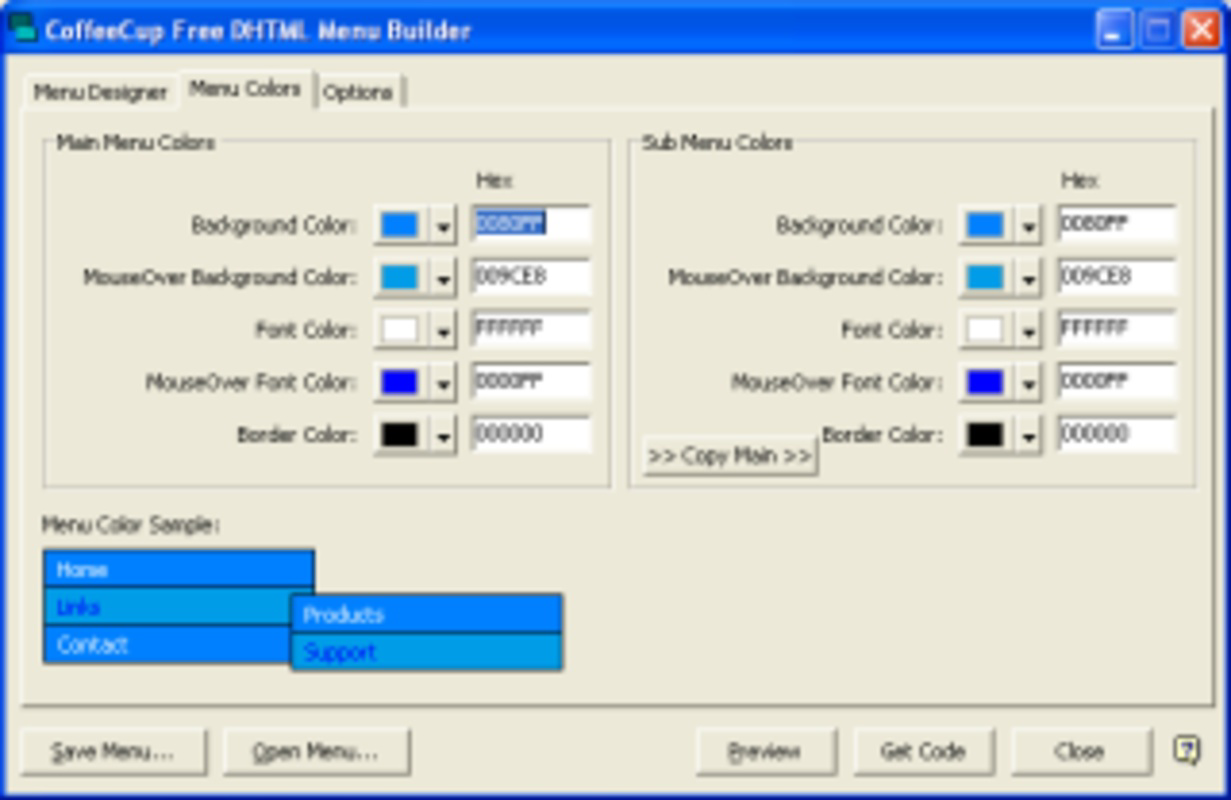
- Customizable Visual Options: The tool allows adjustments to colors, fonts, layout direction (horizontal or vertical), and animation effects, enabling menus to match a website’s visual identity.
- Real-Time Preview Feature: A built-in preview function lets users see how their menu will appear in a browser environment before finalizing, reducing the need for trial-and-error coding.
- HTML Code Export: Once designed, the menu is exported as clean, readable HTML and JavaScript code that can be directly integrated into any website’s HTML file.
- Zero Cost of Use: The application is completely free, with no hidden fees, subscriptions, or watermarks, making it accessible to all users regardless of budget.
For example, a small business owner building a personal portfolio site can use the tool to create a responsive navigation bar with dropdowns for services and contact sections. Similarly, a student learning web design can experiment with different menu styles and behaviors without needing to understand complex scripting languages. The ability to generate ready-to-use code ensures immediate implementation, supporting rapid prototyping and iterative design.
Interface, UX & Performance
The interface of CoffeeCup Free DHTML Menu Builder is designed with simplicity in mind, featuring a clean layout with clearly labeled sections and intuitive controls. Users are guided through the menu creation process via a step-by-step wizard, minimizing confusion and reducing the learning curve. Navigation is straightforward, with consistent placement of buttons and options across all stages of the workflow.
Visual elements are minimal but functional, focusing on usability rather than decorative design. The tool does not rely on complex animations or dynamic graphics, which contributes to its lightweight nature and fast load times. Although the developer did not list formal performance metrics, the application’s small file size of 1.5 MB suggests it runs efficiently on older or low-resource Windows systems.
Responsiveness is maintained within its intended environment—Windows-based desktops. Stability appears consistent based on its long-standing availability, though no recent updates have been released. The lack of modern UI trends such as dark mode or touch-friendly controls is notable, but the interface remains usable for its target audience. Overall, the user experience is reliable for its core purpose: generating static DHTML menu code quickly and accurately.
Platform Compatibility & Technical Requirements
CoffeeCup Free DHTML Menu Builder is available exclusively for the Windows platform. The application runs on Windows operating systems, though specific version requirements were not listed by the developer. The file size is 1.5 MB, indicating a lightweight installation with minimal system impact.
Although the developer did not specify minimum OS requirements or compatibility details for newer Windows versions, the tool’s long-standing presence suggests it may function on a range of Windows environments, including older systems. However, users should exercise caution when installing on modern Windows versions (e.g., Windows 11) due to potential compatibility issues with outdated software components.
Given that the tool was released in 2007, it may not support current security protocols or modern web development standards. Users are advised to verify system compatibility before installation and to use the generated code with caution on production websites.
Pros and Cons
Pros
- Completely free to use with no hidden costs or limitations.
- Simple, step-by-step interface ideal for beginners and non-coders.
- Generates clean, readable HTML and JavaScript code for easy integration.
- Lightweight at only 1.5 MB, requiring minimal system resources.
- Supports both horizontal and vertical menu layouts with customizable styles.
Cons
- No official updates since 2007, raising concerns about compatibility with modern systems.
- Not available for macOS, Linux, or mobile platforms.
- Limited customization options compared to modern web builders.
- Does not support responsive design or mobile-first menu behavior.
- Developer did not provide technical specifications or system requirements.
FAQ
Is CoffeeCup Free DHTML Menu Builder safe to download?
Yes, the application is free from malware and known security threats. However, since it has not been updated since 2007, users should scan the file with up-to-date antivirus software before installation.
Can I use the generated code on any website?
Yes, the HTML and JavaScript code produced by the tool can be copied and pasted into any website’s HTML file. However, compatibility depends on the website’s structure and the browser being used.
Is there a mobile version of this app?
No, the application is only available for Windows and does not support mobile devices or cross-platform use.
Do I need to know coding to use this tool?
No. The tool is designed for users with no programming experience. All menu elements are configured through a visual interface.
How often is the app updated?
The developer has not released any updates since the original release in 2007. It is considered a legacy tool with no active development.
Final Thoughts
CoffeeCup Free DHTML Menu Builder remains a viable option for users seeking a no-cost, straightforward way to generate basic DHTML menus for websites. While it lacks modern features like responsive design and mobile compatibility, its simplicity and zero cost make it a practical tool for specific use cases—particularly for educational purposes or small-scale web projects that don’t require advanced functionality.
Those who value ease of use, fast results, and minimal resource consumption will find this tool useful. However, users should be aware of its age and potential compatibility challenges on newer systems. For modern web development, it serves best as a supplemental resource rather than a primary design tool.
Download CoffeeCup Free DHTML Menu Builder now
Guides & Tutorials for CoffeeCup Free DHTML Menu Builder
How to install CoffeeCup Free DHTML Menu Builder
- Click the Preview / Download button above.
- Once redirected, accept the terms and click Install.
- Wait for the CoffeeCup Free DHTML Menu Builder download to finish on your device.
How to use CoffeeCup Free DHTML Menu Builder
This software is primarily used for its core features described above. Open the app after installation to explore its capabilities.
User Reviews for CoffeeCup Free DHTML Menu Builder 0
No reviews found


